
SSH connections and terminal
Save workspace-scoped connections and open interactive terminal sessions for direct server inspection.
SSH Terminal
Unfour includes a local SSH workspace for connecting to servers, inspecting logs, transferring files, and running reusable SSH tasks during backend troubleshooting.
It is for developers who need interactive server access and repeatable operational steps alongside the API request and database state they are investigating.
Read the docs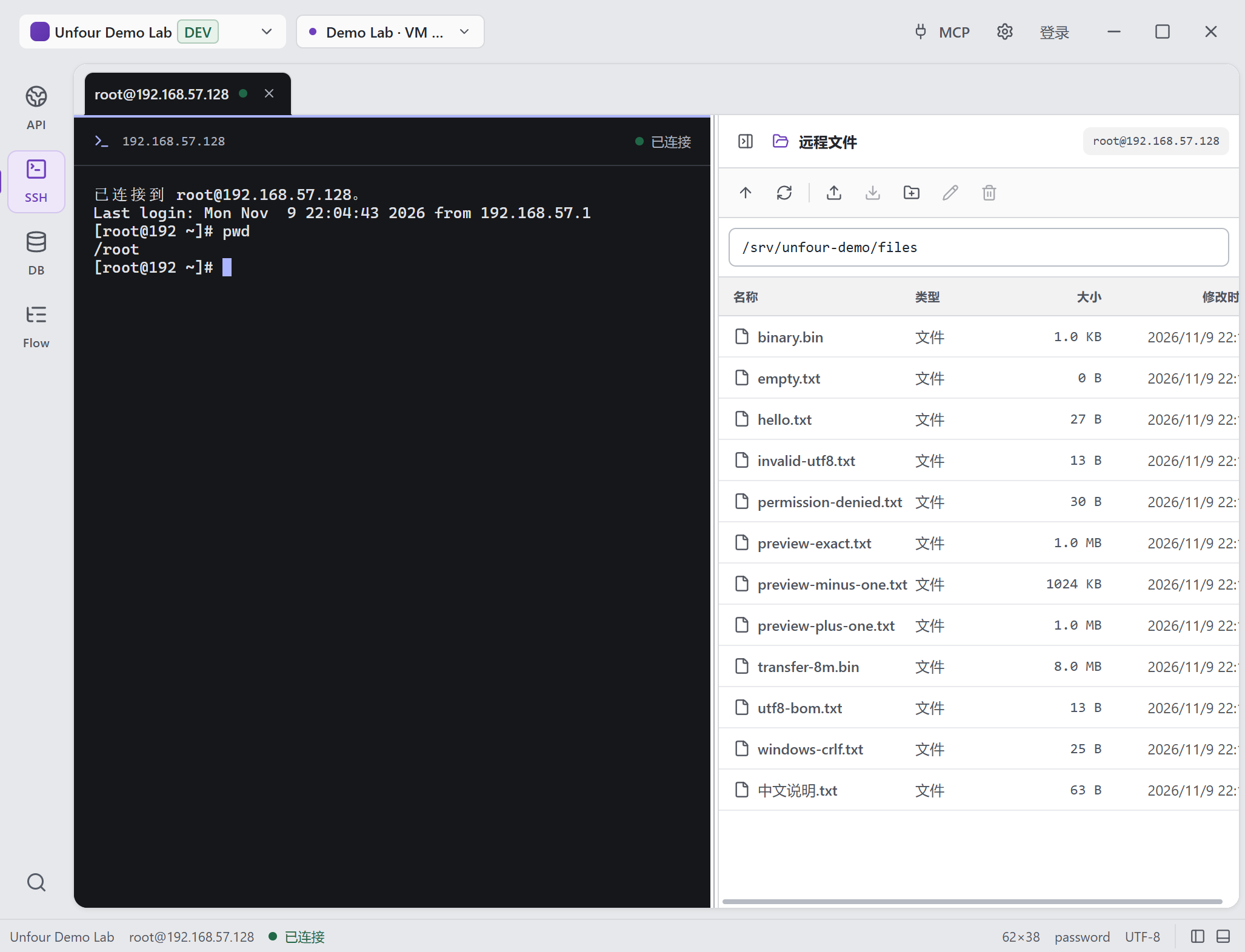
A connected terminal and remote files in the same workspace. This Demo Lab root session shows the terminal beside the SFTP sample directory.
Open full-size image to inspect detailsSSH connections, terminal sessions, remote files, command history, and saved tasks stay organized around the active Unfour workspace.
Save workspace-scoped connections and open interactive terminal sessions for direct server inspection.
Browse and transfer remote files, or preview regular UTF-8 text files up to 1 MiB in a read-only dialog. Preview content is not saved to history or shared application caches.
Keep structured command history available for review, search, and reuse within the relevant workspace.
Combine commands and file transfers into saved tasks. Recall previous parameters or prepare a failed task for a new run, review edits, and re-enter sensitive values before execution.
Associate connections and tasks with the workspace where the related API and database work lives.
Expose scoped diagnostics, history, file, command, and task tools through the local MCP server.
From symptom to runtime evidence
Open the saved SSH connection for the affected service. Inspect logs around the timeout, check service status, and save useful diagnostic commands as an SSH Task for the next investigation.
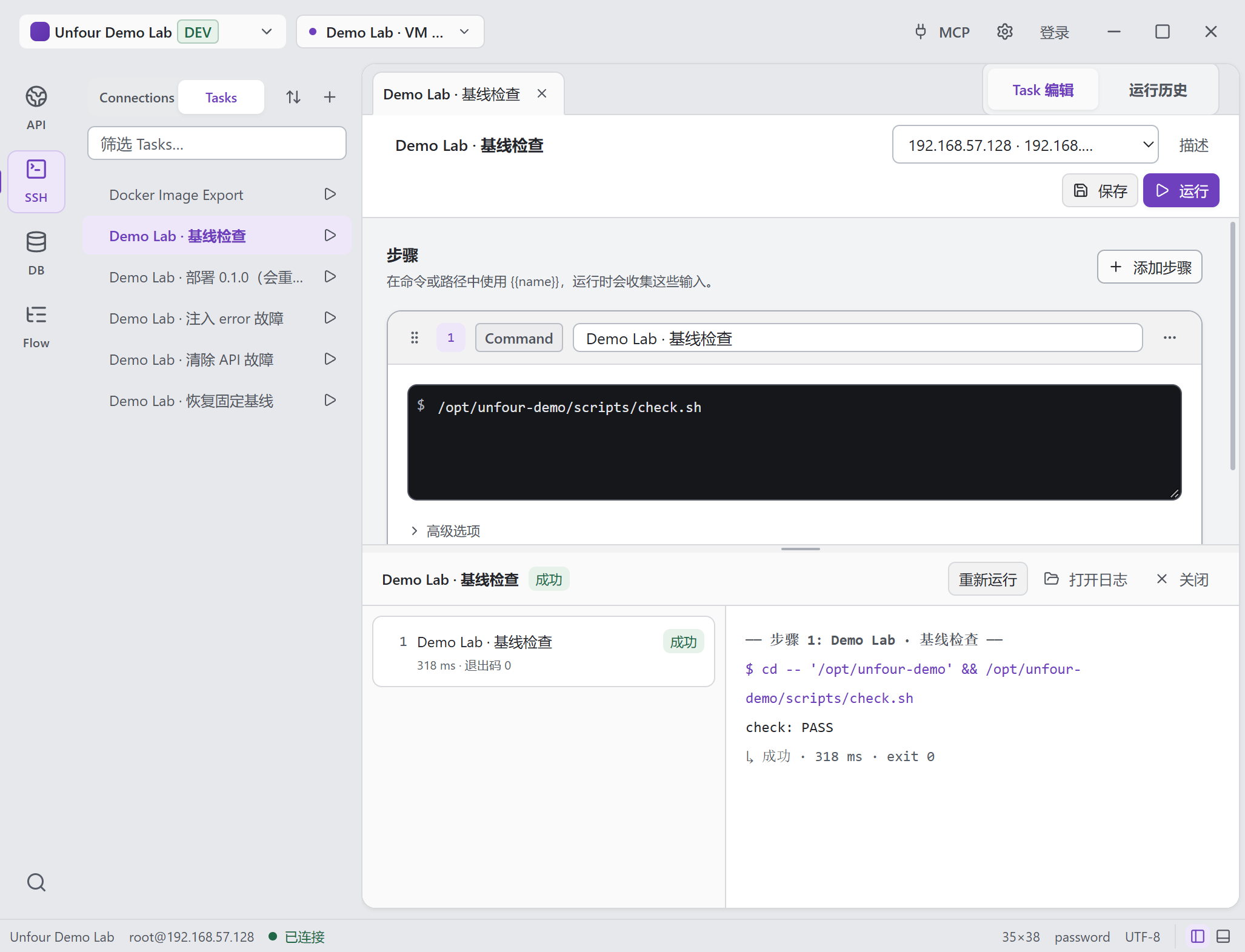
The saved baseline check and its execution output stay together. This Demo Lab run completed with check: PASS and exit code 0.
Open full-size image to inspect detailsOperational boundary
Unfour provides SSH tools and task automation, not autonomous production operations or automatic root-cause remediation.
SSH passwords and key references remain local by default.
Interactive terminal actions are initiated by the developer.
MCP operations are workspace-scoped and evaluated against environment policy.
MCP actions use workspace policy and backend safety checks; confirmation-required actions need content-bound approval.
Reproduce the request that led to a server-side failure.
Explore API ClientCompare runtime evidence with schemas, rows, and query results.
Explore Database ExplorerLet an AI agent gather approved SSH evidence while you stay in control.
Explore MCP IntegrationDownload Unfour to use SSH, SFTP, and reusable tasks in one desktop workspace.