
Desktop UI
Investigate directly
Send a request, open a terminal, or query the database yourself. Return to the saved project setup when you need it again.
Start with a workspaceAPI · SSH · Database · Desktop workspace
Unfour brings API testing, SSH, and database tools into a local-first desktop workspace you can use directly.
Connect your coding agent through MCP to send requests, read server logs, query data, and re-run checks after code changes, within your workspace policies.
Core tools free · No subscription required Apache-2.0 source Free vs Pro
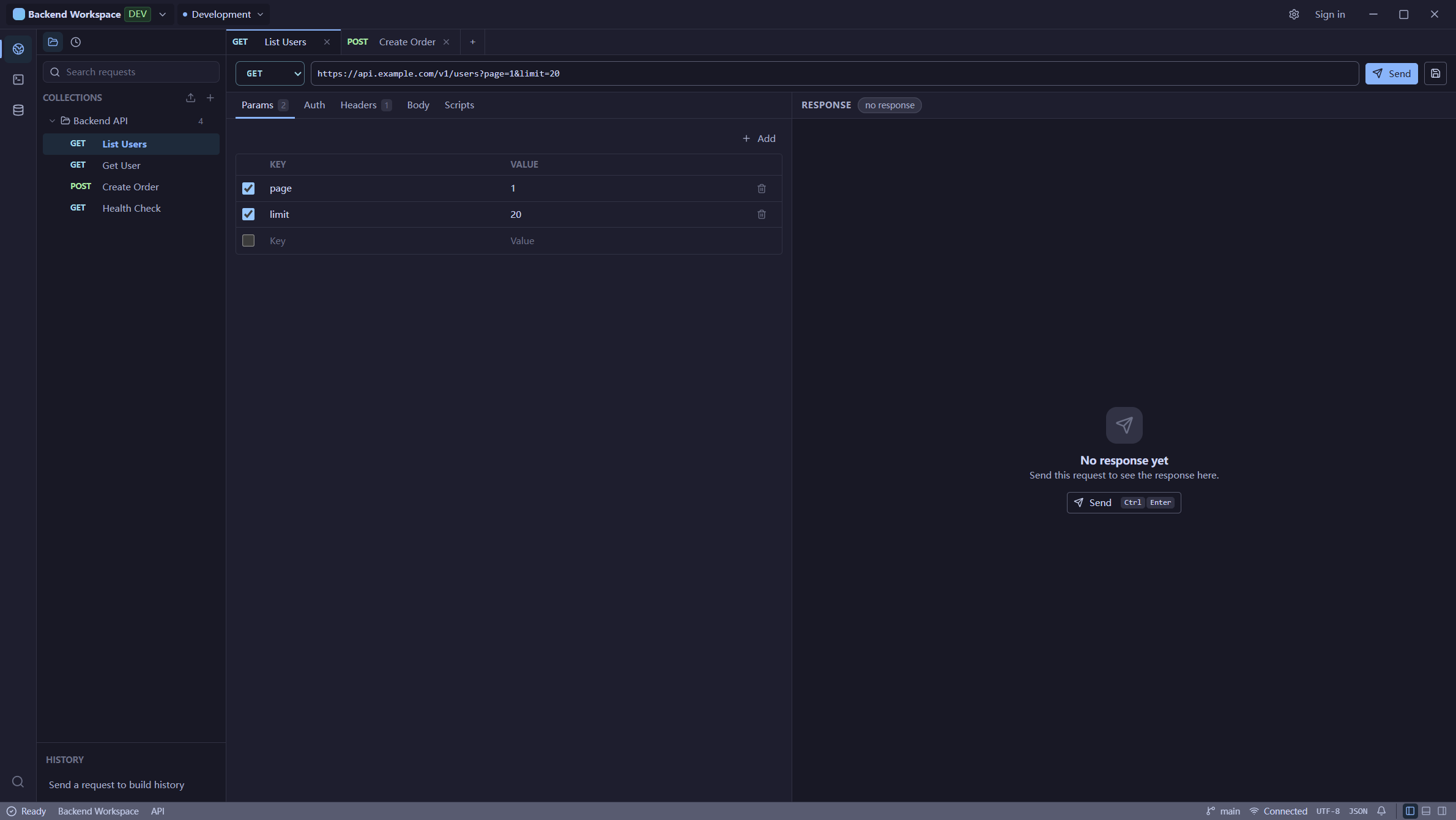
Shared project context
Keep saved requests, SSH and database connections, and environment variables around the same project instead of rebuilding context across separate tools. Use that project setup from the desktop UI or through MCP with Codex and Cursor.
Desktop UI
Send a request, open a terminal, or query the database yourself. Return to the saved project setup when you need it again.
Start with a workspaceMCP connection
Connect Codex or Cursor to reuse saved requests, connections, and environments. Workspace MCP policies govern the tools it can call.
Connect Codex or CursorOne troubleshooting workflow
You or your connected agent choose each step: reproduce the issue, check logs and data, then re-run the request after a code change.
Send the failing API request and inspect its response.
Check SSH/server logs around the same time window.
Query the database records tied to the request.
Use the request, logs, and data to judge where it started.
Re-run the original request after making a fix.
See it in action
See the requests, server logs, and database queries used to investigate one bug and check the fix.
Start with one tool and add the others as your investigation needs them.
01
Send and save API requests, use environment variables, and inspect response bodies, headers, and timing.
Explore API Client02
Open terminal sessions, inspect server logs, transfer files over SFTP, and run reusable SSH tasks.
Explore SSH Terminal03
Manage database connections, browse schemas and table rows, and run SQL to inspect the data behind a request.
Explore Database ExplorerFrom code changes to backend checks
Your coding agent reads and changes repository code with its own tools. Unfour MCP provides access to API responses, server logs, and database state to help investigate the issue and check the result after a change.
Explore MCP capabilities and safetyBefore a change: gather evidence from requests, server diagnostics, and queries.
After a change: re-run the failing request and relevant checks against the selected environment.
You choose the workspace and MCP policy; those policies control available tools and risky actions.
Local-first
Your workspace is stored locally. Pro adds optional Cloud Sync for supported data across your devices, enabled per workspace. SSH and database credentials stay device-local.
✓ Local desktop app
✓ Device-local SSH and database credentials
✓ Saved project context
✓ Optional per-workspace Cloud Sync
Open source
The core desktop tools are open source under Apache-2.0. Inspect the code on GitHub, see what has shipped, and review how Unfour handles data and permissions.
Using Unfour on your own, with an agent, or across devices.
No. API testing, SSH / SFTP, database browsing, and SQL work directly in the desktop UI. MCP is optional and lets a compatible coding agent use supported tools with the same saved workspace resources.
Yes. API Client, SSH / SFTP, database tools, MCP, and local workspaces are free and open source. A subscription is only needed for Pro Cloud Sync.
Pro currently adds Cloud Sync for supported workspace data across your devices. Upgrade and sign in to the same Unfour app to enable it. Core tools remain free.
You or your MCP-connected agent choose each step. Workspace policies control tool access and risky actions. Unfour does not automatically correlate requests, logs, and rows or find and fix the root cause on its own.
Windows x64 and Apple Silicon or Intel Macs. Linux x64 AppImage is also downloadable but remains Experimental. The standalone Windows installer is unsigned; macOS packages are unsigned and not notarized. The Download page includes installation notes.
Start with one request and the connections you need. Add your coding agent when it helps. Core tools and MCP are free.
Download Free